

IPTVBlogs.com / Field editionCommunity desk ↗
Guides, reviews & reader discussions
IPTV Complete Forum
A match that keeps freezing. A guide that’s an hour out. A plan with two different prices. Start with what’s on your screen.

Explore the TV library
Find a platform, identify a competition or browse the poster collection.
Streaming platforms
Official app and service references.


Sports competitions
Schedules, broadcasts and replay guides.


Movies & series
Title and artwork references.


From the journal
What’s happening on your screen?
Three investigations you can follow from the sofa.

PlaybackWhen the match freezes
Separate a feed problem from the connection to the television.
Device notebookBefore you reset a Fire TV
Save what you will need to reinstall the player and restore your setup.

Reseller deskWhere did the credits go?
Follow a balance from a public pack quote to an activation and a renewal.
Inside the forum
Browse by device, app or playback issue.
Getting started
Choose a player, add a source you can use and run your first playback check.
Playback & buffering
Pin down freezes, slow switching, lip-sync and picture problems.
Programme guide (EPG)
Match channels to listings, fix time offsets and check missing schedules.
Apps & devices
Compare app stores, remote controls and settings across streaming devices.
Provider research
Compare published plans, test conditions and the terms you need to confirm.
Reseller operations
Discuss written authority, credits, customer support and account records.
Site help
Get help using the forum and let the editorial team know what needs a closer look.
Compare two providers
Match term, currency and account scope first.
 vs

Strong 8K vs Trex IPTV at the same reseller quantity
These related commercial references use the same customer-month unit. Trex offers a smaller starting balance and a USD 7.20 lower 120-credit price.
vs
Team 8K vs Strong 8K at 120 reseller credits
Team lists USD 202.80 and Strong lists USD 222.00 for the same published quantity and standard customer-month unit.
vs
Strong 8K vs B1G IPTV for 120 customer-months
Compare the cash needed for ten annual customer lines and the amount of credit that remains after allocation.
vs
Strong 8K vs Pro Max .app for a television renewal
Both list USD 54.99 for a year. Check whether the existing player licence and account carry through to the next term.
Published one-month prices
US-dollar totals from provider pages. Check the account and player terms with each listing.



Find a guide for your setup
Setup
Get a player working
Store listings, device settings and a first playback test.
Comparisons
Compare services
Term totals, connection allowances and account rules.
Markets
Find a local broadcaster
Schedules, regional feeds and language options.
Channels
Identify a feed or logo
Search by station, network, source country or feed identifier.TV channels & broadcasters
Look up the station, language or regional edition. The catalogue includes archived logo variants.


Watching from your country
Use the local schedule and exact service name when checking a feed.

 North America · Viewing guideUnited StatesUse the affiliate’s call sign for antenna TV and the streaming app’s location controls for local-network playback.
 Europe · Viewing guideUnited KingdomChoose a UK television route that carries the correct regional bulletin, then check its restart and accessibility controls.

 North America · Viewing guideCanadaFind the CBC or Radio-Canada edition by city and language, then verify the station, viewing route and title-level accessibility controls.

 Oceania · Viewing guideAustraliaPick the ABC state or territory feed, then compare it with the dated bulletin and the aerial reception available at your address.

 Europe · Viewing guideGermanyFind the ARD regional service by broadcaster, then check its online rights and the accessibility options available on the programme.

 Europe · Viewing guideFranceFind the named France 3 edition on france.tv, distinguish it from the TNT tuner list, and check audio or subtitle availability in the chosen programme.
The device workbench
Look up the model, then follow the checks that apply to its app store, output and remote.
Streaming devices
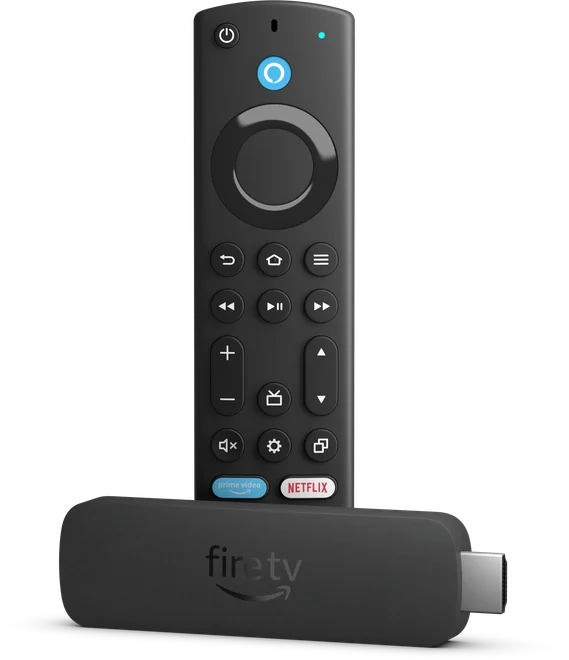
Fire TV Stick 4K Max (2nd Gen)
Confirm you have the 2023 4K Max, find the matching store app, and isolate power, HDMI and wireless issues before resetting the stick.
Streaming devices
Google TV Streamer (4K)
Install from the TV’s own app search, then use the Google TV Streamer’s Ethernet option to get a clean playback baseline.
TV platforms
Samsung Smart TV and Tizen
Use the Samsung TV app catalogue with the exact model and market. Similar names can refer to different releases, publishers and purchase arrangements.
TV platforms
LG webOS
Search the LG Content Store by model and country, then check the webOS version and storage if an app appears but will not install.
Streaming devices
Apple TV 4K
Use the tvOS App Store, distinguish the Apple TV box from the Apple TV app, and test audio and picture changes one at a time.
Players
VLC Media Player
Use VideoLAN’s official download and play one authorised stream to test basic playback. Keep playlist credentials out of VLC history screenshots and forum posts.Inside the player apps
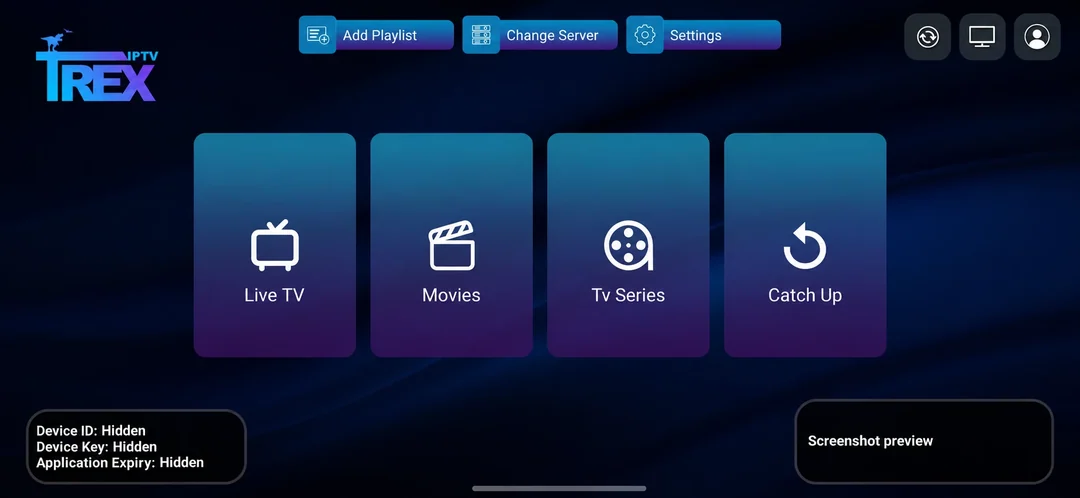
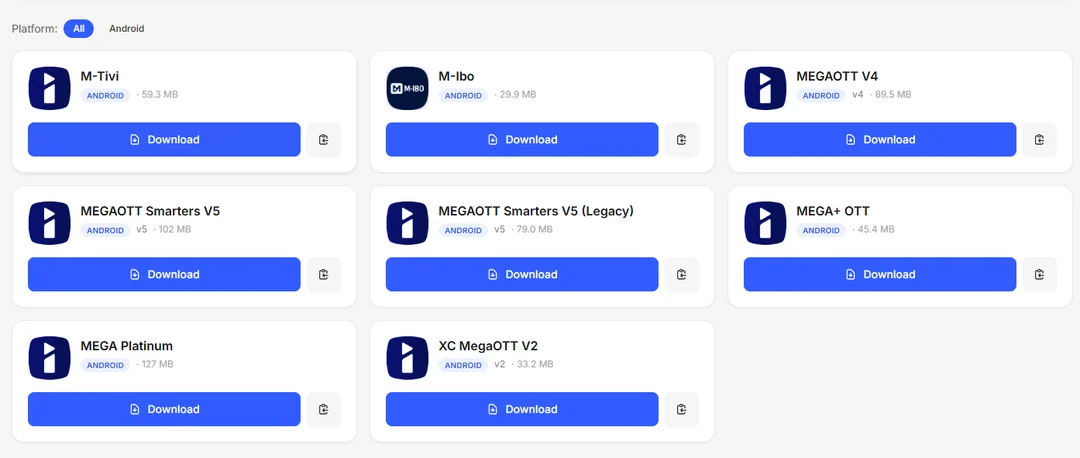
Screens published by the providers. Use them to identify the interface and the fields you need.

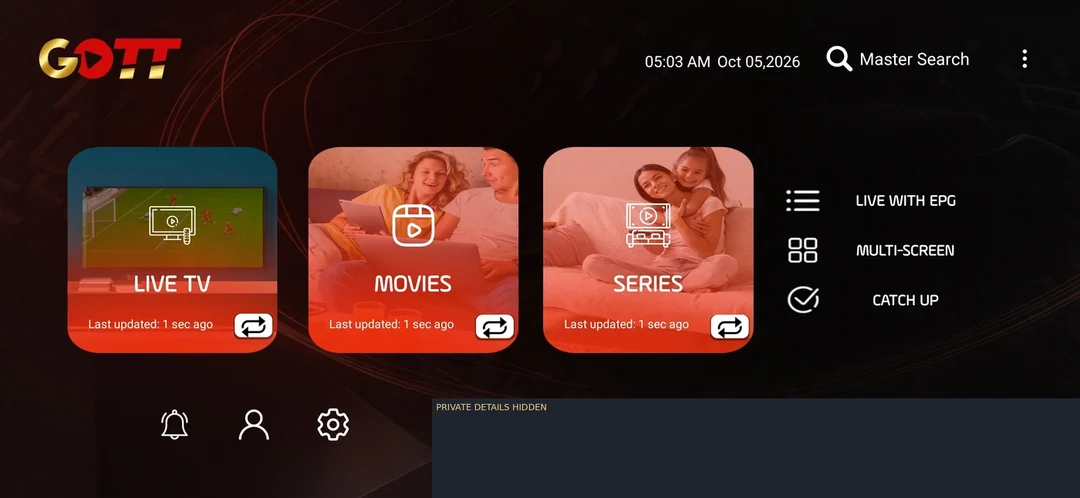

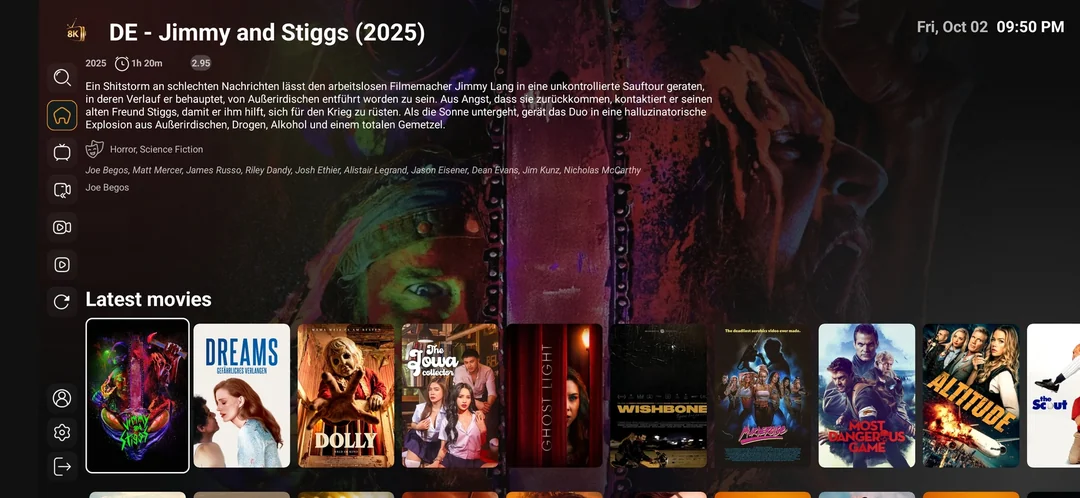

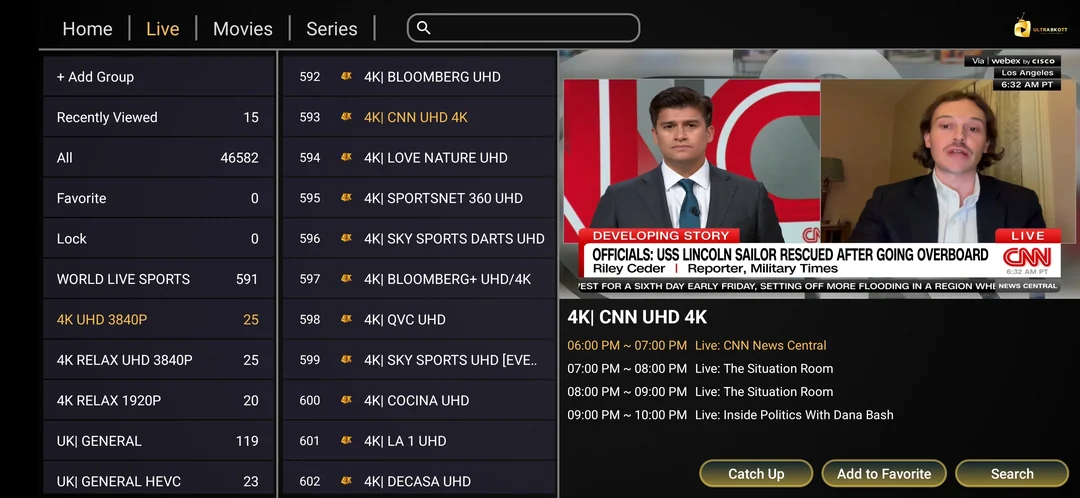
Start with the picture in front of you
A television has a way of making a small problem feel urgent. The picture stops just as the match begins, someone reaches for the router, and the person with the subscription starts looking for the receipt. Before either of them does anything, look at the screen. There is already evidence in the room. Did the programme stop in mid-sentence, or did the channel change to a message? Can you still move the highlight in the programme guide? Does the television show its own volume bar when you press the remote? Those three observations give a support conversation a much better start than a photograph of a spinning circle.
This publication has a forum because some questions take a second pair of eyes. It has guides because a well-established answer ought to be easy to find again. The distinction matters when you have a household waiting for the evening news. A device guide can identify a setting. A provider profile can show which business published a term. A forum thread can help you decide what to do when the first two pieces of information contradict the experience in your room. Keep whichever of those pages you need beside you on a phone. There is no reason to interrupt the television just to read the next instruction.
Try putting the problem into one complete sentence before changing anything. “At about twenty past eight the sound continued but the picture on the downstairs set stopped. I could still open the guide.” That is a worked example, not a report from a member. Notice what it leaves open. The connection might be involved. The app might have lost its place. Nothing in the description establishes either cause. It does establish three useful circumstances, including the fact that the remote still controlled part of the system. Someone replying can suggest a small test whose outcome will tell you something new.
Give the first test a stopping point. If you decide to compare the same feed on a second device, stop playback on the first one before starting the other unless the plan expressly allows simultaneous viewing. Note whether you compared the same programme edition and whether both devices used the same network. A phone playing over mobile data changes the device and the connection together. That can be a perfectly sensible way to keep watching a match. It gives a less precise answer to the question of what went wrong. Your goal for the next five minutes decides which test makes sense.
Read a TV setup from the wall to the sofa
Start at the wall and describe the actual chain. There may be an aerial feeding the television, a streaming stick in an HDMI socket, a soundbar connected to another socket and two remotes within reach. A smart television can also run its own apps. The same television therefore offers more than one way to reach a service with the same name. “It works on the TV” leaves all those possibilities open. “The app built into the TV plays it, while the copy on the HDMI stick returns to its menu” gives a technician two paths to compare without touching the router.
Use names that you will recognise next month. A strip of paper on the spare remote marked “stick, HDMI 2” can be more useful than the model name on an online receipt. In your private notes, record the product line from the device information screen, its software version and the app name as displayed in its store. Leave the serial number out of a public forum post. Sets sold under a familiar retail name can belong to different generations, and a menu suggested by another owner may genuinely be missing on yours. A named model gives the guide somewhere to start.
Take a photograph of the connections if the television is easy to reach. You want to see which cable goes into which labelled socket. There is no need to move a wall-mounted screen to make a forum post. When a photograph is awkward, record what the TV calls the selected input and whether the sound comes from its own speakers. That information still helps. A soundbar may pass a picture through on one setup and receive only audio from the television on another. Identical-looking bars beneath two screens can participate in quite different playback paths.
Give other people in the house a route back to yesterday’s arrangement. If you move the stick to a different input for a short test, write down the original input before taking it out. If the television no longer switches automatically when you wake the stick, use the television remote’s input menu to select it. Do the test while something familiar is available, rather than waiting until a programme everyone wants is about to begin. A household setup is successful when the next person can select their programme without you standing beside the sofa narrating the process.
What a frozen frame can tell you
Think about two different clocks. One measures how long the television has been playing. The other measures when a particular programme is being transmitted. If the screen fails after roughly the same running time on different evenings, write down the elapsed minutes from opening the app. If it fails at the same time of night, record the wall clock and local time zone. Those observations point to different follow-up questions. A regular five-minute failure and a failure that always happens during the evening bulletin may look identical while you are watching the last good frame.
For a viewing log, a few deliberate entries beat a long list of guesses. At the start record the name of the feed, whether it is live or replay and the device in use. At the interruption record the time, whether the sound continues and whether the guide responds. Afterward record which action restored playback, if any. When everything comes back without intervention, write that down too. A result can disappear from memory the moment the room gets noisy again. A three-line log preserves evidence from a brief fault without turning an ordinary evening into a test laboratory.
Live delivery and an on-demand film give a player different amounts of freedom. The technical description of HTTP Live Streaming explains how a playlist identifies short media segments. To play near the live edge, the player needs segments that are still being produced and advertised. A film that is already complete has a different timetable. That distinction gives you a reason to record whether the same device can play a replay, but it does not diagnose your provider from the armchair. A fault with a particular match feed can coexist with excellent on-demand playback on the very same network.
One useful comparison is to stay on one device and change only the programme. Select another authorised live feed in the same app and watch long enough to cover the interval that usually produces the fault. A successful ten-second preview tells you little about a failure that takes a quarter of an hour to appear. If returning to the original feed brings the symptom back, describe that order in your message. If the match has already ended, say so. A reply that arrives the following morning should not claim to have reproduced a live transmission that no longer exists in that form.
Follow a programme through the guide
Suppose the electronic guide says the documentary starts at nine, the broadcaster advertises it for eight, and the television plays the end of a quiz show. There are at least three labels worth collecting. Take the exact channel name from the player, the date and time from the broadcaster’s local schedule and the displayed programme title from the guide. Some services carry regional and time-shift editions with nearly identical station names. Matching a logo is a poor substitute for matching the edition. A small suffix can account for an entire hour with no fault in the television at all.
Use a second programme as a cross-check. If every title on a particular feed is one hour early for the whole evening, a consistent offset is one possibility. If just the regional news is different, investigate the station edition and any local opt-out first. If the discrepancy appears only around midnight, write down both dates with the observation. A guide entry for Saturday evening in one territory can correspond to Sunday morning in another. Reporting only “Saturday” forces the next reader to reconstruct a calendar detail that you could have recorded in five seconds.
Keep the television’s clock setting separate from an app’s guide offset. Changing both at once can make a wrong listing look right for one evening and leave the rest of the set an hour out. Choose a known programme with a published start time and check whether the device’s own local time is correct before changing a guide setting. If an offset change helps, note the old and new values and use more than one channel to verify the result. An adjustment that fixes one imported feed may make a previously correct local feed harder to use.
The country guides are useful here because the clock in a fixture poster is rarely the whole story. A viewer in Karachi reading a British broadcaster’s listing needs the event date as well as the advertised time. An example in a post should name the reference zone the schedule used, not infer it from the language on the page. For a future event, keep the original announcement open and check it again near transmission. A broadcaster can move a programme, and a correct time conversion does not tell you whether the particular service is available where you are.
Shop from a receipt, then compare the headline
A monthly equivalent is an arithmetic convenience. The amount that matters to the household budget is the amount due at checkout, in the currency that will actually be charged. A plan billed as sixty dollars for a year works out to five dollars for each month of its stated term. It still requires sixty dollars on the first day in this example. If you need service for only eight weeks, the advertised monthly equivalent cannot answer your purchase question on its own. Start a comparison by writing the amount due now and the period it buys on separate lines.
Our price register makes an unusually easy mistake visible. Strong 8K and 8K IPTV are names attached to different domains in the publication’s provider directory. The observed Strong page under the /strong/ path records a one-month household term at USD 9.99, checked on 19 November 2026. That observation identifies a seller, a page, a currency and a term. It does not establish the bill your own checkout will show, the tax treatment in your location or the conditions for a second screen. Follow the named provider page and confirm the total at the point of purchase.
When comparing two offers, read the small nouns. “Device,” “connection,” “profile” and “installation” can describe different things. The permission to install an app on two devices does not by itself answer whether both can play a live stream at once. Ask a seller for the situation you actually need, such as one person watching in the living room while another watches a different programme upstairs. Save the answer privately with the dated offer. The provider review can report what a public page says; an answer written for your household belongs with your own order record.
If checkout differs from the published page, resist the urge to crop the evidence down to two bold numbers. Check the domain, plan period, number of connections, currency and any optional line items first. A discrepancy caused by a preselected extra is different from a change in the base price. In a public correction, include the clean offer address and the term as written. Keep account identifiers, payment references and private checkout links out of the post. A reader should be able to verify the public claim without being able to open your order or learn who paid for it.
A trial is a rehearsal for an ordinary evening
The useful question during a trial is not how many channels you can open in ten minutes. It is whether the particular programmes and controls you depend on work in your ordinary room. Write down three things you will miss if they are absent. They might be the correct regional bulletin, captions on a regular evening drama and reliable playback when a household member uses the microwave or starts a video call. Be precise about the observation you want to make. An unrelated action occurring at the same time as a freeze does not establish that it caused the freeze.
Do one quiet test before the busy part of the day. That gives you a reference for the same device, input, remote and app. During the evening, choose a programme you recognise so you can tell whether you are seeing the correct edition and audio language. Look for the specific things your household needs. Is the caption setting still available after switching channels? Can the person who normally uses the television find the programme again after leaving the app? The sharpest preview picture can still make for a difficult evening if these controls are out of reach.
Record the seller’s stated trial window and the time it actually begins. A clock that starts at activation leaves a different amount of evening viewing from one that starts when the first programme is opened. Where the page does not say, ask before you schedule the trial. Avoid borrowing another provider’s trial terms just because the sites use similar player screenshots. The directory keeps the domains separate for that reason. If a seller offers an extension after an interruption, keep the written confirmation with the original expiry time so that both parties mean the same date.
At the end, write a short decision you could understand next month. For instance, a hypothetical household might record that its local news and live captions were present, but the second television could not be tested within the trial. That is an honest partial result. It leaves a clear question to ask before buying a longer term. “Everything worked” gives much less guidance if the unsupported assumption later turns out to involve the room where most family viewing takes place. A trial note can be three sentences and still be considerably more informative than a star rating.
Watch the control as well as the programme
A picture going black for a moment as a film starts is a different observation from the whole television switching off. Keep those descriptions separate. Does the television show an input banner when the picture returns? Does the sound drop with the picture? Do the menus remain visible? Apple documents settings that allow Apple TV 4K to match the frame rate or dynamic range of the programme it plays. On a system using those settings, a change in the output signal is one possibility worth checking. That explanation belongs to a particular player and setting; a television showing a black screen halfway through a news bulletin needs fresh evidence.
A simple demonstration uses content you can open again. Note the starting input and output settings, then start the same film twice in the same app without altering anything in between. If the transition happens only when playback begins and ends, record that pattern. If it occurs repeatedly during a steady scene, record the approximate intervals. Before altering a video setting, write down its current value and the reason for the test. That allows another person to restore a combination that already works for the rest of the household if the change makes no useful difference.
The sound path deserves its own note. A stick connected to a television, a soundbar connected to the TV and headphones paired to the stick give you several places to change volume. When someone says a channel is silent, ask which speaker or headphones they were using. Try a programme on the same output that you already know has audible speech, at a comfortable volume. Lower the volume before changing output, particularly if a soundbar normally runs much louder than the television speakers. A working alternative output helps narrow the next question even if it is inconvenient as a permanent arrangement.
Caption controls are a good way to see how the layers interact. The television may have a device-wide preference, the app may let you choose a language and a particular programme may supply its own set of tracks. Record what you can actually open in the track menu and whether the option is present on a replay of the same edition. If captions matter to someone in the house, involve them in the test. A technically present track can still be difficult to read at the usual viewing distance or against the scene where dialogue matters most.
Keep a reseller ledger separate from the family bill
In the provider directory, a household plan and a credit pack can appear under the same logo. The financial questions are quite different. A household buyer wants to know how long the purchased viewing term lasts. A reseller wants to know which panel balance changes and what an account creation or renewal deducts. Our credit ledger works from movements, which means a starting balance, an identifiable action and an ending balance. If the pack page gives only a purchase price, it cannot establish how many months of viewing one credit will buy.
Use a small fictional ledger to understand the distinction. Suppose an empty account receives twenty credits and a confirmed customer activation uses three. The new balance ought to be seventeen credits if nothing else occurred. If a subsequent renewal uses two, the balance becomes fifteen. Those figures describe the hypothetical entries, without predicting the schedule of any named provider. The point is that you can do this arithmetic even before you know how to value a credit in money. Agreement between the ledger and the panel is a separate question from the profitability of either transaction.
A reseller can keep the public evidence and the private customer records in different places. The publication links to a provider’s pack description and states when it was observed. A private ledger can then reference an internal customer number, balance movement and receipt without publishing the customer’s name. Do not send an entire reseller dashboard to a public thread to ask about a single three-credit deduction. Transcribe the relevant before and after figures and give the operation a made-up label. Someone helping with arithmetic needs a unit and a sequence, not a view into other customers’ accounts.
If you need to understand a transfer between accounts, begin by describing who owns each balance. A top-up to a panel you control differs from a transfer out to a subaccount. A pack purchased from a supplier can credit one balance while a later customer activation affects another. The wholesale and distributor sections keep those roles visible, since a provider’s public retail page need not describe either operation. When there is no published entitlement schedule, the most accurate table cell is an unanswered question. Filling it with another provider’s convention turns an apparent comparison into a false promise.
Pick a player that other people can use
The person who installs a player often has an easier time navigating it than the person who will use it every evening. Installation makes you familiar with the menus. Test the result with someone who missed that part. Hand over the remote, name one familiar channel and ask them to get back to the programme guide afterward. You can learn more from watching a thumb hesitate over two similar buttons than from opening a dozen settings yourself. If you need to give directions every time, note where the person gets stuck and whether a favourite or a simpler home row would help.
Start with the shop on the device you already own. An app name can be used by several products, and a listing available on a phone may have no equivalent for the connected television. Compare the publisher identity on the device with the developer’s own information. Record any separate charge for the player, the service and a device-specific activation. Before spending money, check who handles a licence transfer if the television is replaced. That question concerns your ownership of the app. It differs from asking an IPTV provider to move a subscription from one device to another.
Give favourites a practical test. Add two channels, leave the app normally, and open it again from the home screen. If the favourites remain, you have learned something about that copy of the app on that device. You have not established that they will survive clearing its data, changing a service account or restoring the television to factory settings. Look for the publisher’s own instructions about backup and restore before attempting one of those actions. If the instructions describe a backup file, keep it privately and treat it as something that might contain account information.
A play button that works under ideal conditions is just the start. Try finding tomorrow’s evening listing, returning to the last channel, changing a caption language and bringing the sound back after standby. If a particular action requires holding a button down, write that down for the next viewer. In a room shared by people with different levels of vision or dexterity, choose the path they can reliably repeat from the sofa. A feature list can tell you that a control exists. It rarely tells you whether a person can find that control in the dark while a programme continues to play.
Read a fixture, a channel and a poster as three different records
A competition badge does not identify the broadcaster showing tonight’s match in your territory. It identifies a competition. A team crest identifies a team. A subscription app may display both while providing only highlights, radio commentary or a link to another service for this event. Before making a viewing decision, pin the date, fixture and competition round. Then check the organiser’s event listing and the broadcaster’s local schedule. The distinction becomes particularly important when two teams meet more than once in the same week in different competitions with different broadcast arrangements.
Use the visual index to identify what you are looking at, then follow the source trail on the corresponding page. A logo can help you navigate quickly. It cannot establish a live entitlement by itself. Some viewing pages distinguish a channel network, a particular regional feed and a streaming add-on sold through a larger platform. That extra word matters when one household can open the named platform but cannot play the advertised programme. In a forum question, include the precise label on the offer screen and the country of the account, leaving out any account address or subscription number.
Film posters present a different identification problem. Two films can share a title while belonging to different years, and a season poster can look remarkably like the artwork for the series as a whole. Check whether the page names a film, a series or a season before trying to find the same item in your app. If a release date matters, look for the market and release type associated with it. A theatrical date and a streaming date answer different questions. A poster in this publication’s visual library is a way to identify a work and find its reference entry.
When arranging a group viewing, make a short private note for the evening. Put the title or fixture and its edition first, then the source you checked, the local start time, the input or app you intend to use and any access requirement you confirmed. That tiny schedule is more helpful on the day than sending everyone an attractive poster with an unexplained time on it. If an event moves, you know which source to visit again. If a companion needs captions or a particular commentary language, you can verify it before the room fills up.
Give the next reader enough information to help
A good forum title could almost be the subject line of a message to a technician. Include the piece of equipment, the action and the unexpected result. A title such as “Fire TV stick returns to its home screen when I open yesterday’s replay” gives readers a sensible reason to open the thread. Add the app edition inside the question if you can identify it. It is fine to leave a detail unknown. A precise gap invites a follow-up; a made-up version number can send someone off to investigate a product you never owned.
Separate the steps another person can follow from private account details. A reproducible description might say that you opened the guide, selected yesterday’s local bulletin and chose the first replay option. The next line can describe where the app returned you and whether live viewing still worked immediately afterward. No reader needs the private playlist address, the MAC address, a QR code or a screenshot of the subscription portal to understand those steps. You can often avoid sharing a sensitive photograph by transcribing the exact short error message into the post.
A reply earns its place by changing what the original poster can do next. Ask for one observation that separates two explanations, or suggest one reversible comparison whose result can be reported. When the first proposal fails, the failed test still matters. Record the outcome in the thread before starting a new line of enquiry. A later reader might arrive with the same device and a different result. They can then follow the branches of the discussion without repeating an hour of earlier tests that were never written down.
When a case is resolved, say what ultimately worked and how you know it held. A single successful restart is worth recording as such. Two ordinary evenings of use provide a different kind of confirmation. Distinguish a workaround that restored viewing from a cause you were actually able to establish. A change in app version and a provider-side repair could happen during the same afternoon. You can be generous with the useful information while being careful about the conclusion. Where a staff guide already covers the same case, link the thread back so readers can move between the procedure and the experience.
Know when to leave the television alone
A household television that mostly works is valuable in its current state. If the remaining problem is one wrongly labelled programme, a factory reset is a costly test. You may lose logins, favourite lists, downloaded apps, accessibility settings and the account link that makes the remote useful. Work from the smallest change that can answer your question. On a device with a clear app-level control, even leaving an app or restarting the device can have a different effect from clearing all app data. Read the label on the actual screen before confirming an action.
Give yourself a recovery plan before any change that removes data. Check whether you can sign in to the account on a device you control, whether any second-factor prompt still reaches you and whether a paid player licence can be recognised again after installation. Keep those checks private. A forum member can explain what a reset confirmation usually looks like. They cannot restore a password you no longer control or guarantee that a removed app remains available in the store for your region. The time to discover that problem is before the television is empty.
A spare device makes for a useful rehearsal if you have one, but take care with the test account. An activation tied to one device could affect playback elsewhere, and an additional session might exceed the household allowance. If you lack a spare, take the less disruptive path of documenting the working setup and asking the app publisher about its restore procedure. The device desk links to the model-specific information we can substantiate. A screen from one product family can illustrate the kind of menu to look for without promising you will see exactly the same arrangement on yours.
Finally, define what a satisfactory evening would look like. Perhaps everyone needs to watch the regional news and then use the television’s regular streaming app. If that works, an odd guide label can wait for a better-documented fix tomorrow. Keep the note you made, save the relevant public source and return the remote to its familiar place. Technical confidence is partly knowing when you have enough evidence to change something. It is also recognising that the person who has to live with the change is sitting a few feet away, waiting for the programme to start.
Leave a useful correction for the next visit
This publication’s pages outlive the particular offers, programmes and software screens they describe. A correction works best when it identifies the exact claim and the public evidence that now changes it. Include the page address, the heading or sentence you were reading, the new public source and the date you checked. If the offer is visible only after signing in, explain which part a reader can verify publicly. The distinction helps an editor state the limits of the correction without exposing an order or account that belongs to someone else.
Suppose a provider moves its public price list but keeps selling the same term. There are two questions for an editor. Does the old link still lead to the intended product, and does the new page still support the price printed in the article? A working redirect settles only the first. A current quote for a different connection count settles neither. That is why some entries in the Price Desk retain an observation date and a place for a fresh check. A clear correction can update the relevant term while preserving the history behind an earlier buyer’s perfectly accurate receipt.
The same principle works for local schedules and device screenshots. A network can change a programme time for a single territory or move a menu label in only one software edition. Describe the scope you can show. You need not prove what happens for every other viewer in the world before you send a useful correction. The editorial desk can place a narrowly documented change next to a route with the right audience, and another reader can add evidence for their edition later. Specific, checkable details are what make a forum and a set of articles worth using together.
One more detail can save a correction from sitting unread in the wrong queue. If you found the mistake in a provider card, include the page on which you saw the card as well as the provider it describes. A card can appear beside a buyer’s guide, an installation article and a reseller decision. The source figure may be right in all three while the nearby sentence gives it the wrong meaning in just one. Knowing the location lets an editor repair the sentence that caused the confusion, check the other placements and preserve a comparison that still says exactly what the evidence supports.
A reader who arrives later should be able to tell what changed. If a guide gives a new menu path for a particular operating system, the old instruction can remain useful to people using the earlier edition. Put the version with each description and keep the source that establishes the difference. Correcting a guide is rarely a matter of replacing one universal truth with another. More often it means saying which set, which account, which evening or which public offer the original words actually described.
Reader questions
Questions readers bring to the site
Does buying a player app include the channels?
A player licence usually covers the app. Channel access comes from a service or source with its own terms. Look at the seller and description on each receipt to see which product you paid for.
Why is my programme guide blank while live TV works?
The video stream and listings can use different sources. Check the guide’s last refresh result, date range and channel mapping. Try one station with an independent broadcaster schedule.
How do I avoid opening highlights of the wrong game?
Record the competition, opponents, date, stage and territory. Use that description in the competition schedule and again with the broadcaster.
What should I check before starting a trial?
Confirm its end time, what you will be charged, whether it renews automatically and how to cancel. Pick one live feed and one on-demand title that matter to you and try them on the actual TV.
Provider files
The 30-provider directory
Start with the domain on your receipt. Similar names lead to different subscription and support records.
 8kiptv.ioProvider file
The Strong 8K starting point
The Strong edition lives under /strong/ on 8kiptv.io. Save that address with the order so a similar 8K name cannot send a renewal to the wrong desk.
Open the provider file →
 trexiptv.appProvider file
Inside the Trex /OTT/ edition
Trex separates the household subscription and the prepaid reseller balance under its /OTT/ edition. Choose the route for the account that will receive the purchase.
Open the provider file →
 goldenott.appProvider file
Meet the Golden OTT account
The personal price list shows a full price per term and a single active connection. Golden’s business page prices a balance that a reseller spends on customer periods.
Open the provider file →
 dream4kiptv.netProvider file
Dream 4K, from the source
Look under /streams/ on dream4kiptv.net. The FAQ covers household terms, and a separate pack table lists credit quantities and package totals.
Open the provider file →
 8kiptv.appProvider file
The 8K .app identity file
This file follows 8kiptv.app. Its supplied player artwork identifies a visual edition. Ask the account issuer for a current written offer on that exact domain.
Open the provider file →
 8kpro.tvProvider file
A closer look at 8K PRO
The .tv edition lists personal terms and a separate customer-month balance. Use the individual price card for the offer you intend to discuss.
Open the provider file →Show 24 more illustrated entries
 team8k.tvProvider file
Inside Team 8K
Team’s country directory helps identify a feed to test. Its pricing pages separately state the household term and the account’s standard connection allowance.
Open the provider file →
 megaott.ioProvider file
The .io edition of Mega OTT
Mega OTT’s .io edition keeps the customer and reseller guides under /4k/. Keep the .io address with the order when comparing it with the similarly named .app site.
Open the provider file →
 ultra8kiptv.appProvider file
The Ultra 8K OTT file
Its setup materials show an Ultra player and its settings. The subscription page is where a buyer checks the term and confirms the account allowance.
Open the provider file →
 smarter8k.appProvider file
Smarters 8K by term
Smarters 8K’s price cards vary both time and concurrent connections. Read the stream allowance on the same card as the household bill.
Open the provider file →
 b1giptv.ioProvider file
B1G’s /4k/ edition
B1G’s /4k/ subscription guide lists the published term totals and one simultaneous connection. Its business pack uses a separate customer-month unit.
Open the provider file →
 promax4k.tvProvider file
Pro Max at the .tv address
The .tv site publishes its own plans and pack schedule. Keep the quoted address and account issuer together even where 4kott.app lists a matching figure.
Open the provider file →
 hotiptv.coProvider file
The current Hot /4k/ edition
Hot’s /4k/ reseller table uses USD. Use this edition’s full bill and credit count whenever an older root-page quote names a different currency.
Open the provider file →
 xott.appProvider file
Find the XOTT account
XOTT publishes a player route and a separate subscription page. Installing the named player is only the first step in setting up the service account.
Open the provider file →
 crystaliptv.appProvider file
The Crystal IPTV desk
Crystal’s personal price list covers the viewing term. The reseller page identifies pack totals and prints a separate deduction for each customer period.
Open the provider file →
 4kott.appProvider file
Pro Max on 4kott.app
This record follows 4kott.app. The similarly named .tv edition has its own order and source record. Keep the exact issuing domain with the account.
Open the provider file →
 dinoiptv.appProvider file
Dino’s two player routes
The publication’s saved Dino guide distinguishes two player routes. Match the installed app to that guide and request fresh commercial terms from the exact issuer.
Open the provider file →
 lion-ott.appProvider file
The Lion OTT account
Lion lists the household plan and the active-connection condition together. Keep the player’s licence details with the device and the service order with its issuer.
Open the provider file →
 hellosky.tvProvider file
Where Hello Sky starts
Hello Sky publishes personal viewing totals and separate credit packs. The pack schedule includes a rounded price per credit, with the complete bill shown beside it.
Open the provider file →
 4kiptv.appProvider file
The exact 4K IPTV address
This record covers 4kiptv.app. Its supplied reference art identifies the edition, while a fresh written quote establishes payable terms for a new order.
Open the provider file →
 megaott.appProvider file
MegaOTT on the .app address
Megaott.app publishes its own yearly-credit schedule. Keep that domain on the customer record even when the other Mega site displays similar prices.
Open the provider file →
 skyglassiptv.appProvider file
The Sky Glass IPTV site
Skyglassiptv.app identifies its service as independent of Sky Group. Use the independent provider’s own terms and support record when checking a quote.
Open the provider file →
 rynexplay.appProvider file
Inside Rynex Play
The Rynex archive shows a channel selector and programme actions. Use the separate price page to confirm the account offered for that player.
Open the provider file →
 starshare.appProvider file
StarShare’s published terms
The current .app site publishes household totals and a separate reseller schedule. Use the same domain to confirm the account that will be provisioned.
Open the provider file →
 5glive.appProvider file
5G Live at the root domain
This file uses 5glive.app. Record the exact domain and edition on which the issuer quoted the customer term, especially if an older subdomain appears in the paperwork.
Open the provider file →
 iptvaustralia.appProvider file
The Australian AUD edition
The Australian site shows AUD totals for complete terms. The reseller page follows a written quotation process for the business balance.
Open the provider file →
 iptv-canada.appProvider file
The Canadian edition
The Canadian page lists full CAD viewing totals. Its separate business enquiry lets a reseller request a quantity and clarify the meaning of each credit.
Open the provider file →
 ukiptv.appProvider file
The UKIPTV source file
UKIPTV publishes GBP prices for complete personal terms. Keep the exact term, bill and connection answer together when requesting service.
Open the provider file →
 iptvusa.appProvider file
IPTV USA’s plan desk
The USA price page gives the full USD charge for each term. The business page lists pack totals but leaves customer-duration conversion to a written agreement.
Open the provider file →
 iptveurope.netProvider file
The European EUR edition
The European price page identifies the EUR charge for each household term. Business pricing and panel conditions go through a separate quote.
Open the provider file →